Every dollar spent on advertising should bring you closer to a new customer. But what happens when a large chunk of that money is spent on clicks from visitors who will never buy?
Understanding Low-Quality Ad Traffic
When you run an ad campaign, you pay for people to click on your ad and visit your website. But not all of this traffic is valuable. Low-quality ad traffic comes from clicks that have no chance of turning into a sale or a lead. Think of it like paying for flyers to be delivered to empty houses. The delivery happened, but no one is there to see your message.
This worthless traffic directly impacts two key numbers. First is your cost-per-click (CPC), which is the price you pay for each click. When you pay for useless clicks, your costs go up without any benefit. Second is your return on ad spend (ROAS), which measures how much money you make for every dollar you spend on ads. Bad traffic destroys your ROAS because you are spending money but getting nothing in return. Learning to spot and stop it is the first step to improve return on ad spend.
Bad traffic generally comes from four main sources:
- Automated bots: Software programs designed to click on ads automatically.
- Spam form fills: Bots that fill out your contact or lead forms with fake information.
- Click farms: Groups of low-paid workers hired to click on ads all day.
- Curious but non-converting users: Real people who click your ad out of curiosity but have no intention of ever buying your product.
Key Warning Signs in Your Analytics

Now that you know what bad traffic is, let’s look at how to find it. Your analytics dashboard is full of clues, and learning to read them is essential. These are the most common signs of bad ad traffic that should make you look closer at your campaigns.
One of the biggest red flags is a very high bounce rate. This metric shows how many visitors leave your site after viewing only one page. A consistently high bounce rate suggests visitors are not who your ad promised they would be. Another warning sign is an extremely short session duration. If visitors are spending less than ten seconds on your site, they are not reading your content or exploring your products. They are likely bots or completely uninterested users.
You might also see a strange pattern of high clicks but very few conversions. This is a classic symptom of fake engagement. Someone, or something, is clicking your ad, but they have no interest in taking the next step. Other suspicious patterns include a sudden flood of traffic from a single, unexpected country or almost all your traffic coming from one type of device. While no single metric tells the whole story, seeing several of these signs together paints a clear picture. Spotting them early helps you reduce ad campaign waste before it gets out of hand.
| Metric | Red Flag Signal | What It Likely Means |
|---|---|---|
| Bounce Rate | Consistently above 80% | Visitors are leaving immediately, suggesting they are bots or the ad was misleading. |
| Average Session Duration | Under 10 seconds | Traffic is not engaging with your content at all; likely automated or uninterested. |
| Click-Through Rate (CTR) vs. Conversion Rate | High CTR with a very low conversion rate | People or bots are clicking the ad but have zero intention of buying or signing up. |
| Traffic Source Geography | Sudden spike from a single, unexpected location | A click farm or bot network may be active in that region. |
| New vs. Returning Visitors | Almost 100% new visitors | No one is finding your site valuable enough to return, a common sign of bot traffic. |
How Google’s Built-In Filters Offer Protection
Fortunately, you are not alone in this fight. Major ad platforms have their own security systems working in the background. Google, for example, has a dedicated Ad Traffic Quality team that acts as an automatic, built-in guard for your campaigns.
This system works in two main ways. First, it uses pre-bid filters to stop you from even bidding on ad placements that are known to be fraudulent. It is like a bouncer who stops trouble before it enters the club. Second, it uses post-serve filters as a safety net. These filters analyze clicks after they happen. If they identify clicks as invalid, Google will automatically credit the cost back to your account. This process helps manage Google Ads invalid traffic without you having to do anything.
These systems are always getting smarter. For instance, Google’s 2025 integration with HUMAN for its Display & Video 360 platform shows a commitment to improving bot detection. However, it is important to have realistic expectations. While these built-in tools are powerful, they are not perfect. Some of the more sophisticated bots can still slip through the cracks, which is why an extra layer of protection is often necessary.
Adding Third-Party Tools for Stronger Defense
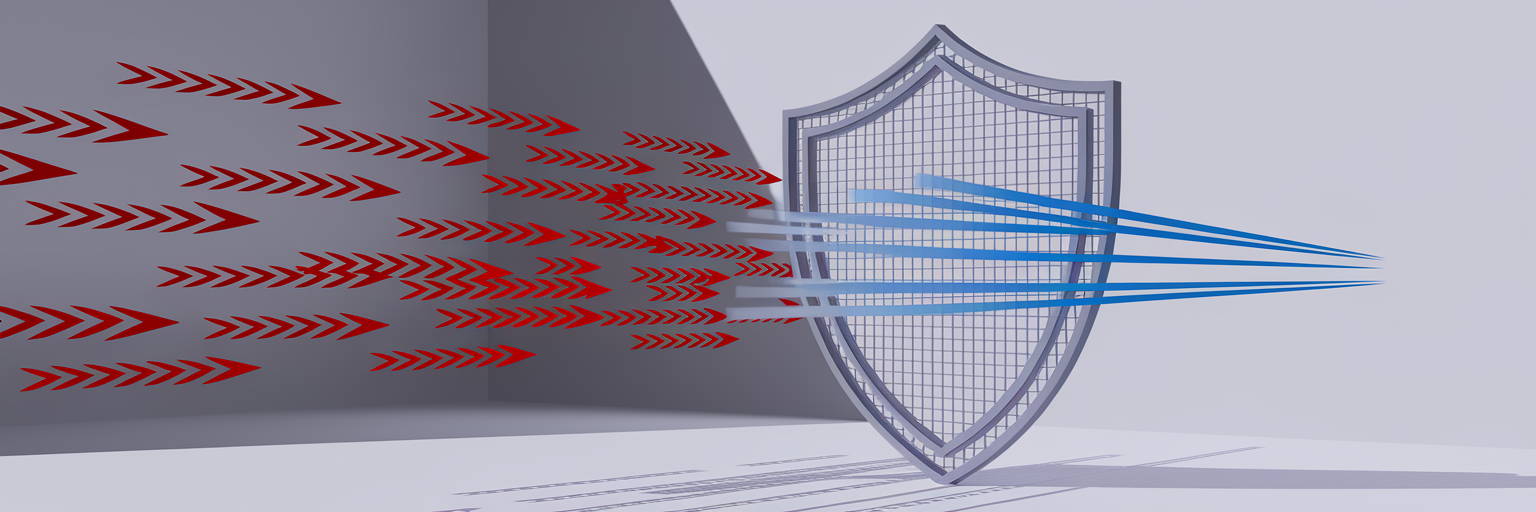
While platform filters catch a lot, some bad traffic will always get through. This is where third-party tools come in. Think of them as hiring a specialized security guard who is trained to protect your specific business. These services go beyond the default protections offered by ad platforms.
They use advanced artificial intelligence to learn the unique patterns of bad traffic targeting your campaigns. This allows them to block fraudulent clicks in real time. This proactive approach is the most effective way to answer the question of how to stop bot clicks for good. These tools automate many of the tedious tasks involved in traffic filtering. They can automatically create and update IP exclusion lists, blocking known sources of bad traffic from ever seeing your ads again. They can also identify negative keywords that attract irrelevant clicks, helping you refine your targeting.
Using a dedicated tool is a form of proactive hygiene for your ad accounts. It keeps your traffic clean, saves you money, and ensures your data is accurate. With clean data, you can make much better decisions about where to invest your marketing budget. Just as it is important to learn how to choose the right ad network to find the right audience, using a dedicated tool to protect that investment is equally critical.
The Long-Term Damage of Ignoring Bad Clicks
Ignoring bad clicks does more than just waste your ad budget. The damage runs much deeper and can hurt your campaigns in ways that are not immediately obvious. The financial loss is just the beginning.
Ad platforms like Google pay close attention to what happens after someone clicks your ad. If they see a pattern of visitors clicking your ad and then immediately leaving your site, they may start to penalize you. This is sometimes called a post-click experience penalty. The platform might conclude that your ads are low quality or misleading and start showing them less often, even to good users. This can slowly suffocate your campaign’s reach.
Furthermore, bad data leads to bad decisions. Imagine you see a campaign with thousands of clicks and assume it is a huge success. You might decide to pour more money into it. But if those clicks are from bots, you are just throwing good money after bad, moving further away from real customers. As bots become more sophisticated and better at mimicking human behavior, this problem only gets worse. Managing traffic quality is not a one-time task; it requires ongoing attention.
Building Your Proactive Traffic Hygiene Strategy

Protecting your ad campaigns from bad traffic requires a strategy with multiple layers of defense. Relying on just one method leaves you vulnerable. Instead, a proactive approach that combines monitoring, platform tools, and specialized services will give you the best results.
Here is a simple plan to get started:
- Regularly monitor your analytics. Set aside time each week to look for the warning signs we discussed earlier. Catching problems early is key.
- Use the built-in filters. Make sure you understand and are using the traffic protection features provided by your ad platform. They are your first line of defense.
- Consider a specialized tool. For the best protection, add a third-party service to catch the sophisticated threats that platform filters might miss.
- Optimize your landing pages. Always ensure your landing pages load quickly and deliver exactly what your ad promises. A good user experience discourages bounces from real visitors.
The central challenge is finding the right balance. You want to be aggressive in filtering out bad traffic without accidentally blocking potential customers. Mastering this balance is the key to running truly efficient and profitable ad campaigns. By keeping your traffic clean, you can focus on what matters most: scaling your campaigns and finding quality visitors. This is why many successful advertisers choose to buy traffic from trusted sources that prioritize quality from the start.